Android · Android 7.0 (API 24) and later

The network tools you keep reaching for, on the phone in your pocket.

Sixteen tools that actually do what they say: real ICMP ping and traceroute through a native probe, a LAN scan that names the devices it finds, and a WiFi analyzer that shows you which channels are crowded. Nothing leaves your phone except the lookups you ask for.

  • No account. Nothing to sign up for.
  • No ads or analytics. Nothing is tracked.
  • Open source. Every line is on GitHub.
The iPingTools home screen, showing the connection banner and the grid of tools.

Built on the real protocols

Most phone network tools fake the hard parts. These do not.

Real ICMP, not a TCP stand-in

Ping, traceroute and MTR go through a native probe using Android's unprivileged ICMP sockets. Traceroute reads each router's reply out of the socket error queue, exactly as the desktop tool does — so the hops you see are the hops your packets took.

Devices with names, not just addresses

The LAN scan sweeps the subnet and then asks the network who everyone is, over Bonjour, UPnP, WS-Discovery and NetBIOS at once. It weighs what comes back — a printer that advertises IPP is certain, a lone open port is a guess — and labels each device accordingly.

Standards, followed properly

DNS lookups do EDNS0 and retry over TCP when a reply is truncated, because the standard says they must. iPerf speaks the genuine iperf3 control protocol, so it measures against any ordinary iperf3 server.
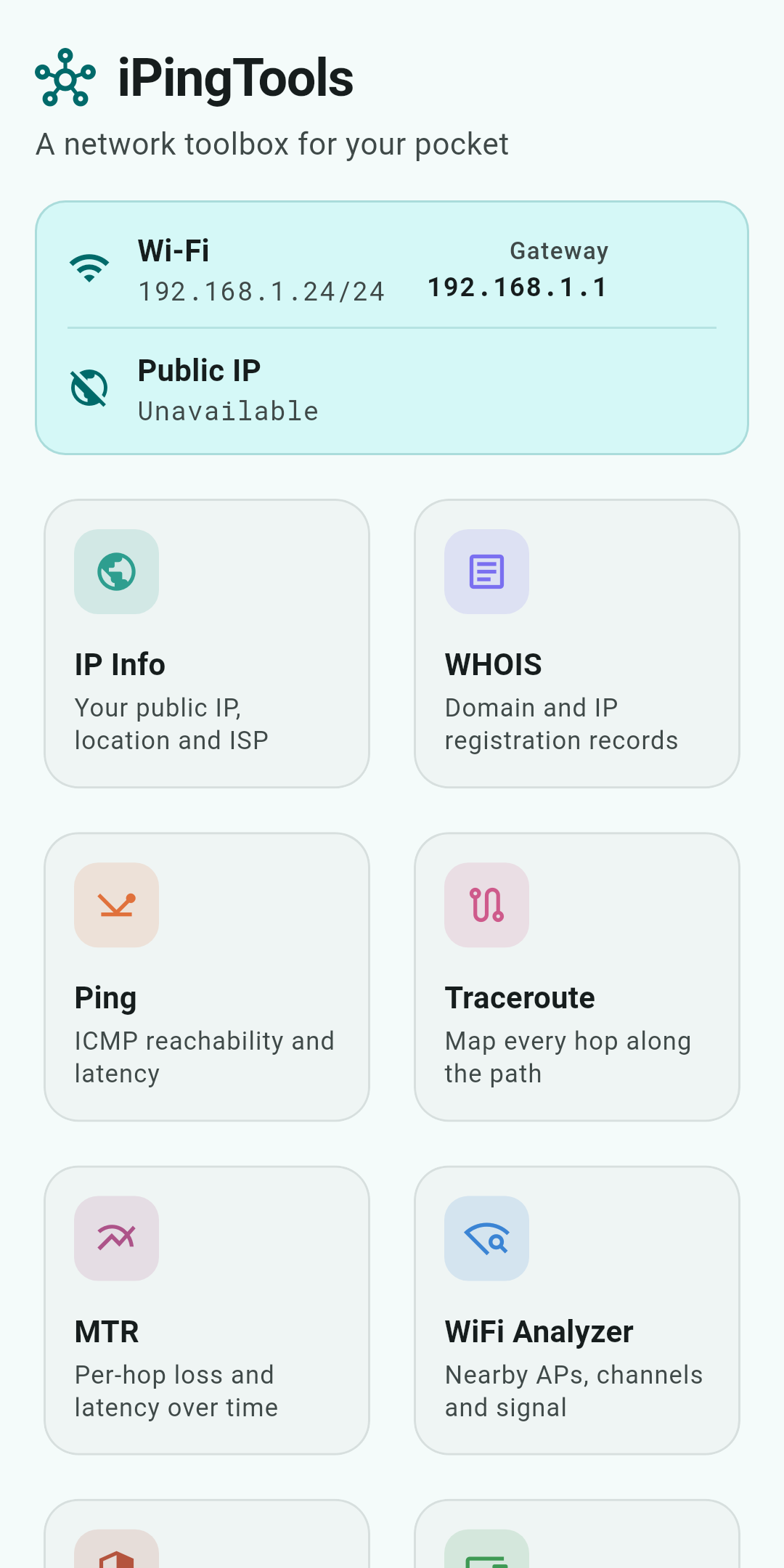
Everything in the box

Sixteen tools, grouped by the question they answer.

Ping

ICMP reachability and latency

Traceroute

Map every hop along the path

MTR

Per-hop loss and latency over time

Speed Test

Internet download, upload and bufferbloat

iPerf

Throughput against an iperf3 server

LAN Scanner

Discover devices on your network

WiFi Analyzer

Nearby APs, channels and signal

Port Scanner

Find open TCP ports on a host

Bonjour Browser

Services advertised over mDNS

UPnP Scanner

Devices, services and port forwards

IP Info

Your public IP, location and ISP

WHOIS

Domain and IP registration records

DNS Lookup

A, AAAA, MX, TXT and more

IP Calculator

Subnets, masks and host ranges

Server Watcher

Background alerts when a server drops

Wake on LAN

Power on saved machines remotely

What each one actually does

What the app knows about you

Nothing. That is the whole answer, and it is worth being precise about.

  • No account, no sign-in, no profile.
  • No advertising, no analytics, no crash reporting, no third-party SDKs.
  • Scan results, saved machines and watched servers stay in the app's own storage on the phone.
  • The app contacts a public service only when you run a lookup that needs one — and the privacy policy names every one of them.